Stay ahead of the day
Jefe brings time-sensitive scheduling, billing, follow-up, and messages into one queue.
FIELD SERVICE SOFTWARE FOR SMALL CREWS
Jefe brings what needs attention to the top and keeps every request, Quote, job, invoice, and payment connected—while working alongside the tools your crew already uses.
BUILT FOR SMALL SERVICE CREWS
Keep your current tools. Let Jefe organize the work happening around them.
Jefe brings time-sensitive scheduling, billing, follow-up, and messages into one queue.
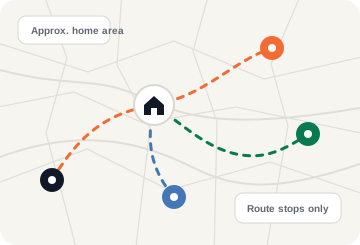
Create route-aware schedules around crew home areas—even when a crew member keeps their address private.
Learn more about schedulingUse Jefe alongside the tools you already have, then move more over when you’re ready.
SWITCH WITHOUT STARTING OVER
Start using Jefe alongside the system you use today. Supported files are staged in a review workspace; no data moves into your live records until an owner or manager approves the import. Beta and assisted paths are clearly labeled.
Ask about your exportReview and import Products & Services, clients, jobs, and Quotes.
Ask us first: Invoice history and full recurring-work migration are not self-serve.
Review and import Price Book, customer, and job exports.
Ask us first: Grouped or separate invoice and payment history needs manual review and is not self-serve.
Price Book CSV is available through self-serve import.
Assisted: Customer, job, and job-linked invoice sheets need assisted setup and are not self-serve.
YOU STAY IN CONTROL
Beta coverage varies by export. Some fields or historical records may need manual follow-up.
ONE JOB, CONNECTED RECORDS
Start with a request, a Quote, or work you already agreed to do. Jefe keeps shared customer, job, crew, invoice, and payment details together as you move forward.
Taylor G. · Austin, TX
START WHERE YOU ARE
A repeat customer can start at scheduling. Another job can start with photos and a Quote. Jefe keeps the shared details together as you move forward.
YOUR DAY, PRIORITIZED
On Home, owners and managers see a prioritized list of what needs attention, what is holding up payment, and what can disrupt the schedule.
THE FULL JEFE TOOLKIT
Use the tools that fit your workflow today. Add more as your business needs them—without forcing every job through the same steps.
Pricing
Jefe does not charge by module. Smart scheduling, To Do, Get Paid, quotes, invoices, photos, customers, crew, and English/Spanish support are included. Only high-usage communication features may have variable charges.
2 total members: owner + one manager/admin.
5 total users: 1 owner/admin + 4 crew.
Jefe Micro is built for teams up to 5 total members. There is no purchase inside the mobile app.
Get started
Create your company and take one real job from Quote through payment. No card is required to start.
Use your email to create or open your owner workspace.